

We use the terms server and web server constantly throughout this series, and they do not mean the same thing. Before we get to more advanced concepts, let’s make sure you have a solid understanding of what a server is, and by extension what a web server is.
What is a server?
All computers connected to the Internet are either workstations or servers.
A server is a physical device that runs continuously (24/7) to provide different services to other computers. Such services include file storage, hosting, data sharing, communication (e.g., mail server), and many others. Most of the servers do not have a visual interface (GUI), in contrast to your computer, so they don’t need a screen. Instead, they can be accessed remotely through a command-line interface (e.g., CMD on Windows, terminal on *nix). This is what a server looks like:
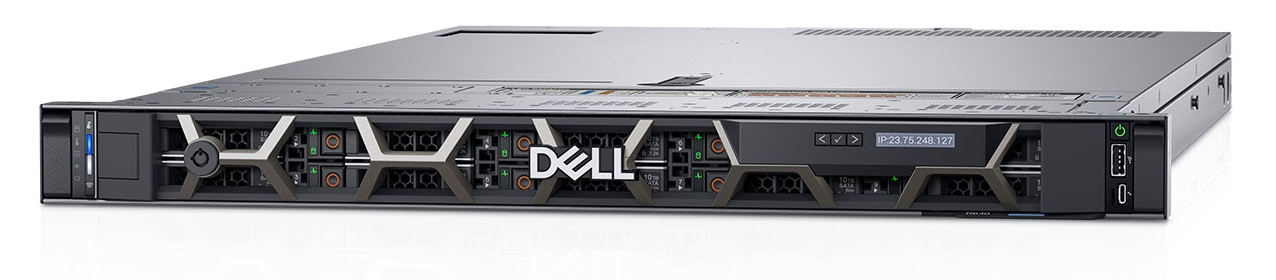
Cool, but how about those giant wardrobe-like devices from datacenters?
Well, those are actually multiple servers mounted on a rack. The main reasons for using racks are to simplify management, save physical storage space, and avoid thefts.
What is a web server?
A web server is a piece of software that delivers content to the end-users over the Internet. Its main job is to respond to the HTTP requests issued by the user. Once a request reaches the server (hardware), the web server checks whether the requested document exists and generates an HTTP response that is sent back to the browser, as shown in Figure 2.

This is an example of a static web server. The user requests a static HTML document stored on the server, and in a matter of seconds, they can view it in their web browser. Simple and convenient.
However, web applications such as Wikipedia or Amazon have thousands of webpages. Are they all static HTML documents?
No, these applications actually use a few template pages and a database where all the content is stored. When a user requests a webpage, let’s say Security - Wikipedia, the web server fetches the relevant information from the database and fills the HTML template, which is then displayed in the user’s browser. This way, they don’t need to store hundreds of HTML documents, but a single document that serves as a template. Such a web server is called an application server or dynamic web server. Almost all modern web servers are also dynamic web servers (e.g., Apache HTTP server, Nginx, IIS).
Note
The term web server can be used interchangeably to define both the software and hardware used to host a website. However, to avoid confusion, throughout this series we use server when referring to the hardware, and web server when referring to the HTTP server.
Conclusion
A server is hardware that runs around the clock. A web server is software running on it that answers HTTP requests. Keeping the two apart matters, because once we start talking about where a vulnerability actually lives, “the server” is rarely precise enough.
Next up: client vs. server side, and why that split decides what an attacker can reach.