

In an earlier post, we introduced the concepts of web application and web browser. We discussed how these two components interact and what each of them is for. Now, let’s take a step further and discuss the architecture of a web application.
To understand the various architectures of modern web applications, which is the subject of the next post, we first need to acknowledge the fundamental architecture that every web application has used since the early 1990s: the three-tiered architecture. We can’t appreciate the evolution of web applications without knowing where they started.
What is Web Application Architecture?
Web applications are intricate pieces of software consisting of many components, such as applications, databases, and middleware systems. To make the management of these components easier, software engineers divide them into several groups called layers. These layers represent the web application architecture. The main purpose of the architecture is to define the relationship between layers and govern how they interact with each other.
Regardless of the complexity, the backbone of any web application consists of a frontend and a backend layer. Figure 1 illustrates the simplest, three-tiered web application architecture.

Client-side
The frontend (or client-side) layer is what the user sees in their browser. Forms, buttons, navbars, paragraphs, tables, lists, and basically anything else that a user interacts with through their web browser are part of the client-side. The primary purpose of this layer is to collect data from the user. Usually, it is implemented as a mixture of HTML, CSS, and Javascript.
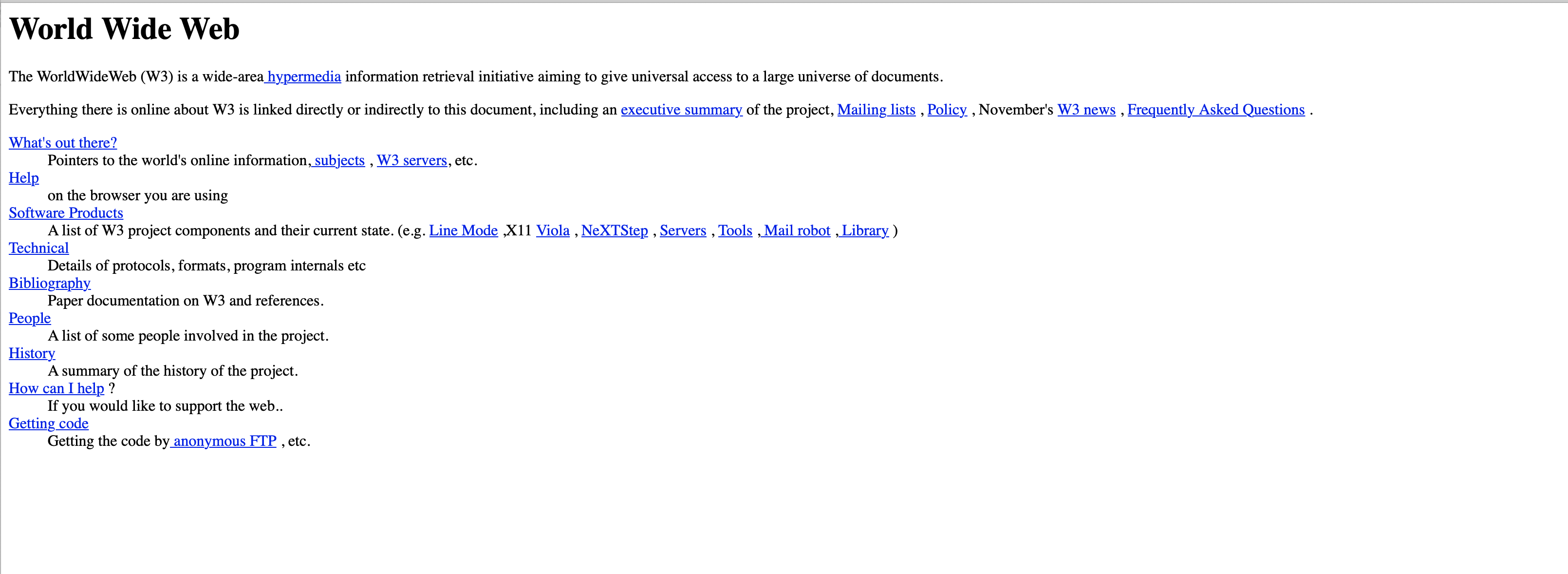
HTML or Hypertext Markup Language is the standard markup language for creating web pages. All modern web applications also include Cascading Style Sheets (CSS) to make a page visually appealing. Without CSS, websites would look like this:
Also, most modern web applications use Javascript to allow dynamic user interaction with the web page and make the application feel more like a desktop application.
One of the web browser’s jobs is to interpret HTML, CSS, and Javascript and render the code into a visual interface that allows a user to interact with the web application. For this reason, when a user visits a website, they do not see code, but HTML rendered elements (e.g., buttons, forms, etc.).
Server-side
All information collected on the frontend needs to be stored or processed somehow, and that’s the job of the backend (or server-side) layer. This process happens behind the scenes on the web server where a typical user does not have access.
The entire logic of the web application is enclosed in the backend code. The backend can be implemented in many programming languages, based on the programmer’s preferences. Java, PHP, ASP.NET, Python, Ruby, and Golang are just a few of them.
In contrast to the client-side code which runs in the user’s browser and has little or no access to the OS functions, the server-side code is executed by the web server and has full access to the operating system. For this reason, server-side web vulnerabilities are much more valuable for an attacker than client-side vulnerabilities.
Putting it all together
To better explain how all of this works, let’s take the example of Jake, who tries to sign up for a Google account. First, when Jake visits accounts.google.com in the browser, they are asked to complete a form with their name, email address, password, and so on. That is the frontend (Figure 3).
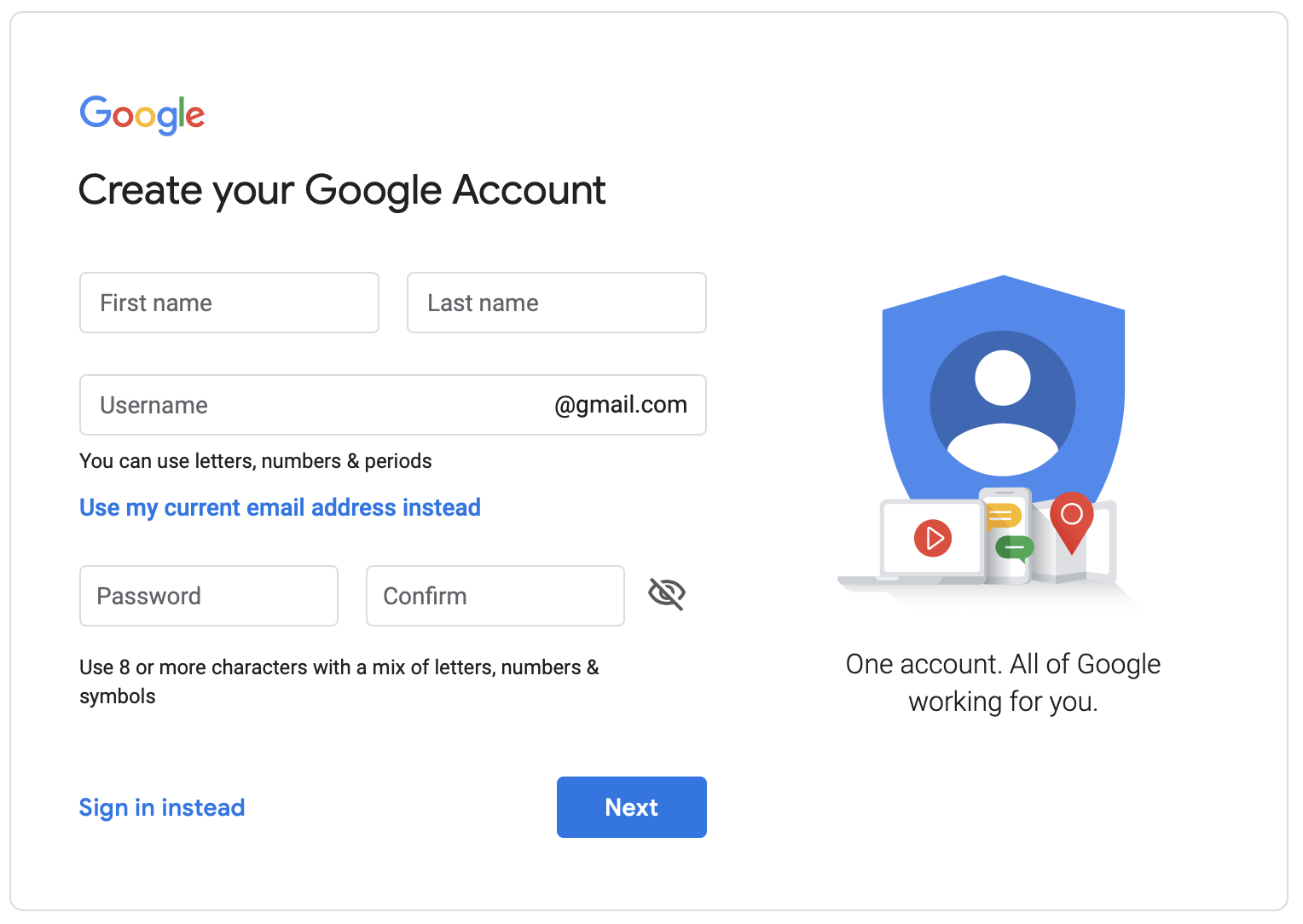
After the data is collected on the frontend, i.e., Jake filled in the form and hit the Next button, it’s the backend’s job to make sure the email address does not already exist in the database, the password is strong enough, and so on. Once all the conditions are met, the backend saves Jake’s data into the database and they can access their new Google account.
Conclusion
Web applications may look immensely complex until you take a peek inside. It is true that technology evolves fast and new frameworks arise to facilitate the development of powerful web applications. However, the architecture of a web application, at its most fundamental level, remains the same.
So far we have only scratched the surface, but after reading this post you should have a good understanding of web applications and how they work. In the next post in this series we take a closer look at modern web application architectures.