

We’ve spoken about clients, web servers, HTTP, and endpoints but we haven’t connected these concepts. For example, how the heck does typing uphack.io into the address bar of your browser actually result in you getting a response from UpHack? Seriously, think about it, how? Most people, even professionals, struggle to answer that question.
Let’s walk through the process from end to end to provide a more holistic view of how we really interact with web applications. Also, pro tip, this is an insanely common interview question (you’re welcome).
The journey begins when you type a domain (such as uphack.io) into the address bar of your browser and press enter. The first challenge is that computers communicate using Internet Protocol (IP) addresses, not domains. Before we can begin to communicate with Uphack, we first need to figure out the IP address of the web server associated with uphack.io.
The mechanism for translating a domain name to an IP address is a protocol called Domain Name System (DNS). DNS effectively acts like a phone book: we pass it a domain name and get back a corresponding IP address. However, unlike a phonebook, the process of resolving a domain name is dynamic, complex, and spans many data sources. A single domain lookup spans many queries across many servers.
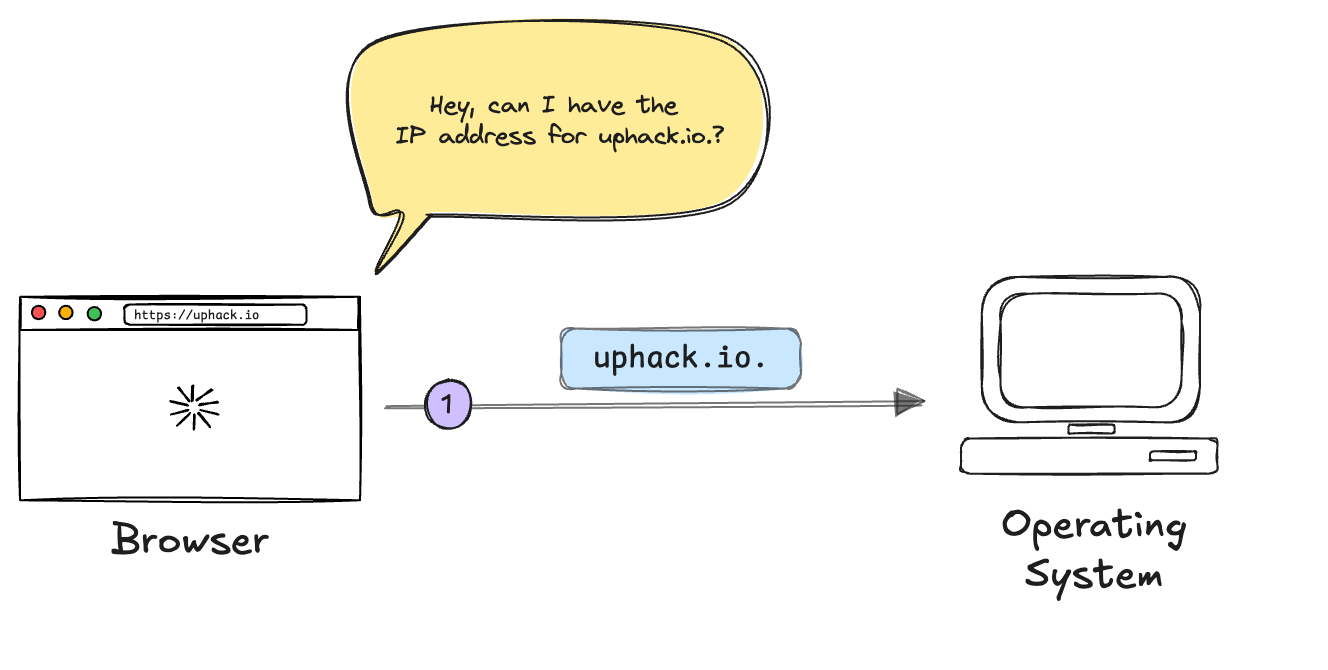
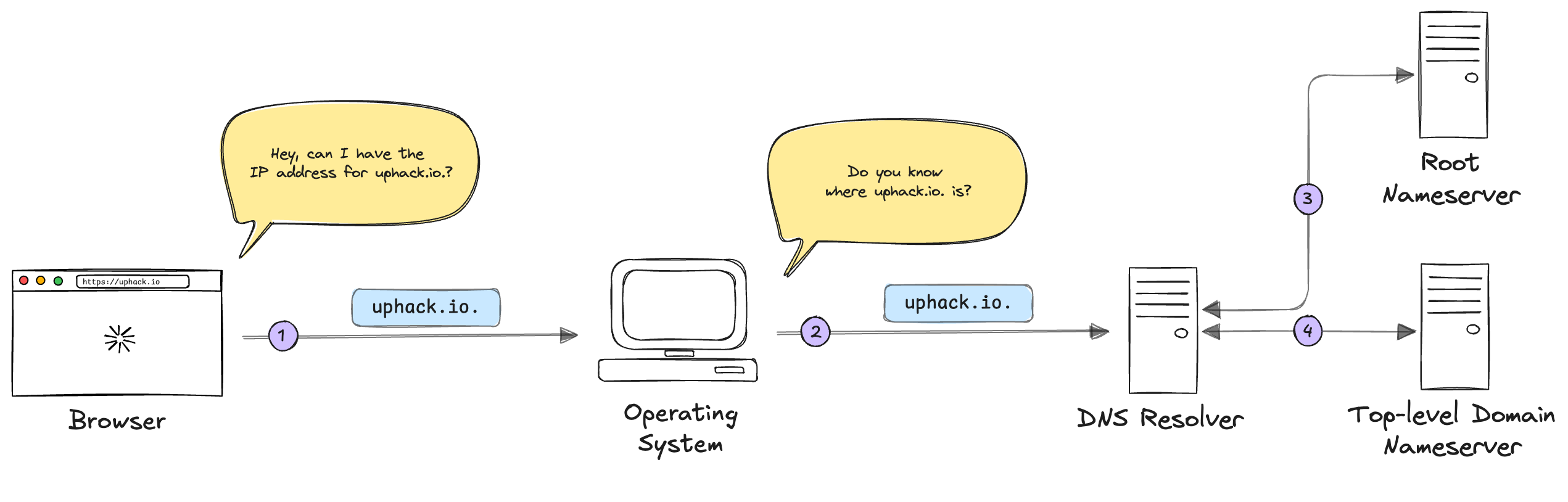
Okay, so when you type uphack.io into the address bar of your browser and press enter, your browser will begin a process known as DNS Resolution. The browser will start off by asking your operating system “do you know where uphack.io. is?” Note, your browser is asking for uphack.io., not uphack.io, notice the extra . at the end. This signifies the “root server” which we’ll see in a moment.
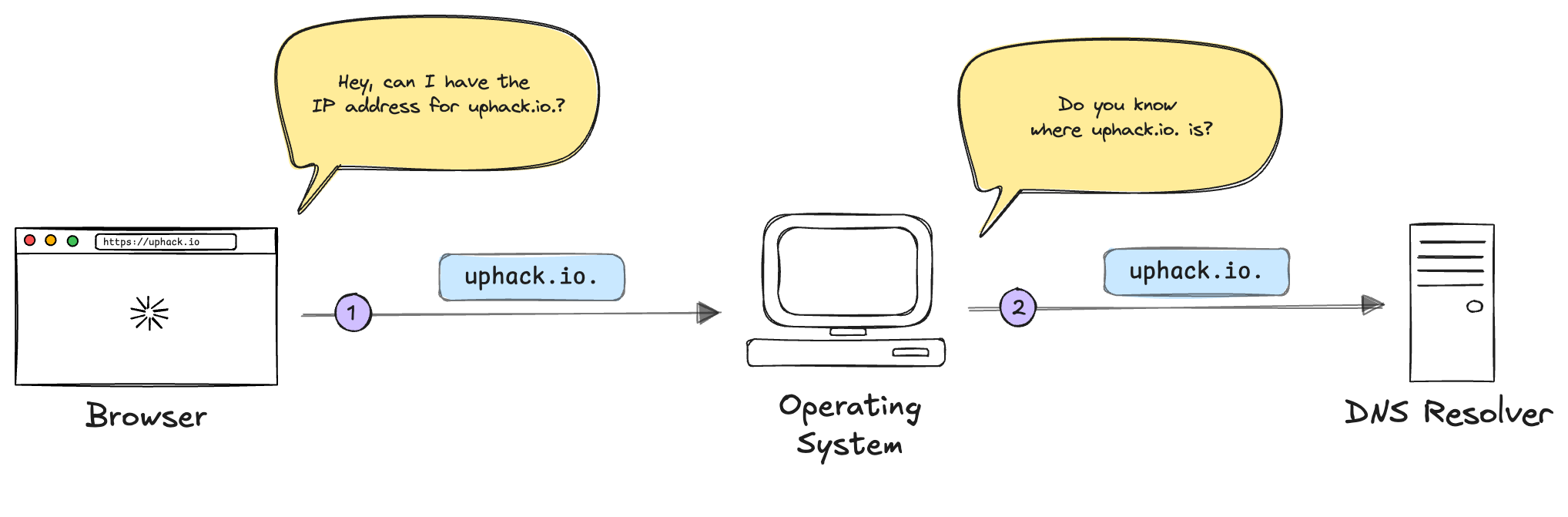
Your operating system will ask the DNS resolver “do you know where uphack.io. is?”.
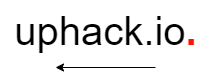
This is where the DNS resolution process really begins. The DNS resolver will begin a process of querying progressively more specific DNS servers until it gets an answer. The DNS resolver does this by querying the domain from back to front.
The DNS resolver will start by asking the root DNS nameserver (indicated by the . appended to the end of the domain) “where is uphack.io.?”
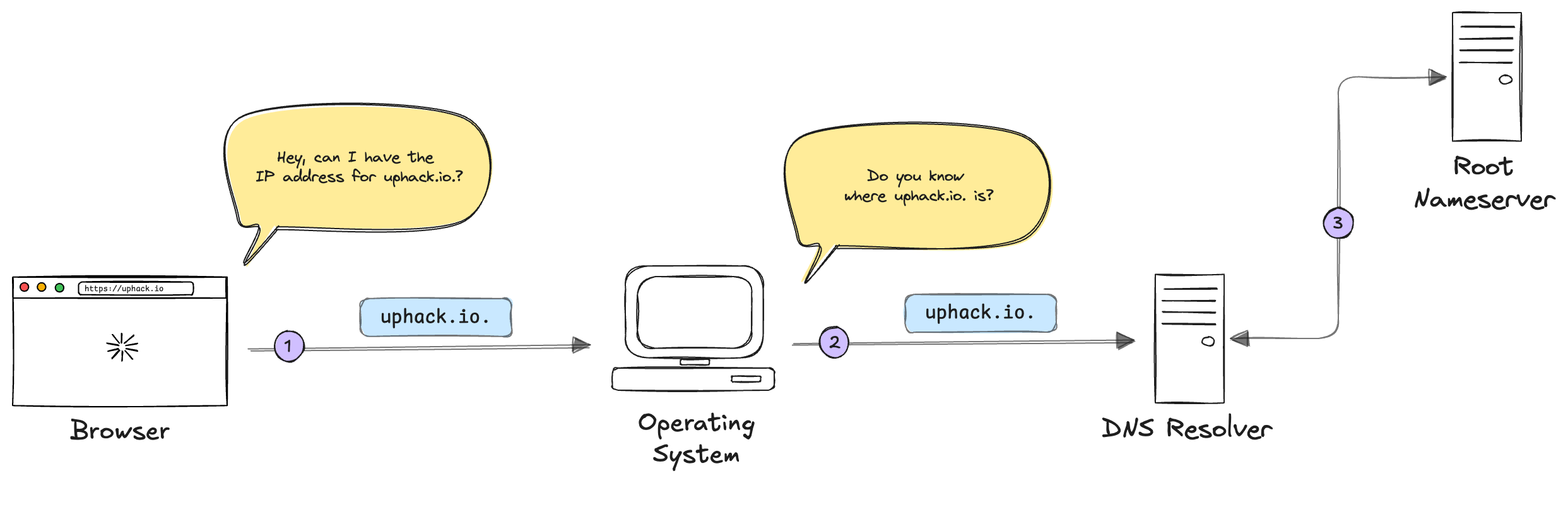
The root nameserver won’t know where uphack.io. is, but it will know the corresponding Top Level Domain (TLD) nameserver. A TLD nameserver is a DNS server responsible for a given top level domain, such as: .com, .org, .co.uk, or in this case, .io.
The root nameserver will return the corresponding TLD nameserver for uphack.io. to the DNS resolver. The DNS resolver will then ask the TLD nameserver “where is uphack.io.?”
Believe it or not, we’re not done yet. The TLD nameserver doesn’t know where uphack.io. is either, but it does know the authoritative nameserver that does. The TLD server will respond with the authoritative name servers for uphack.io.
Note
The TLD server knows the authoritative nameserver because when you buy a domain from a registrar, the registrar tells the registry which nameservers are associated with the domain. The registry then updates the TLD servers.
For the last time, the physically and emotionally exhausted DNS resolver asks the question “where is uphack.io. damn it?!” to the authoritative name server.
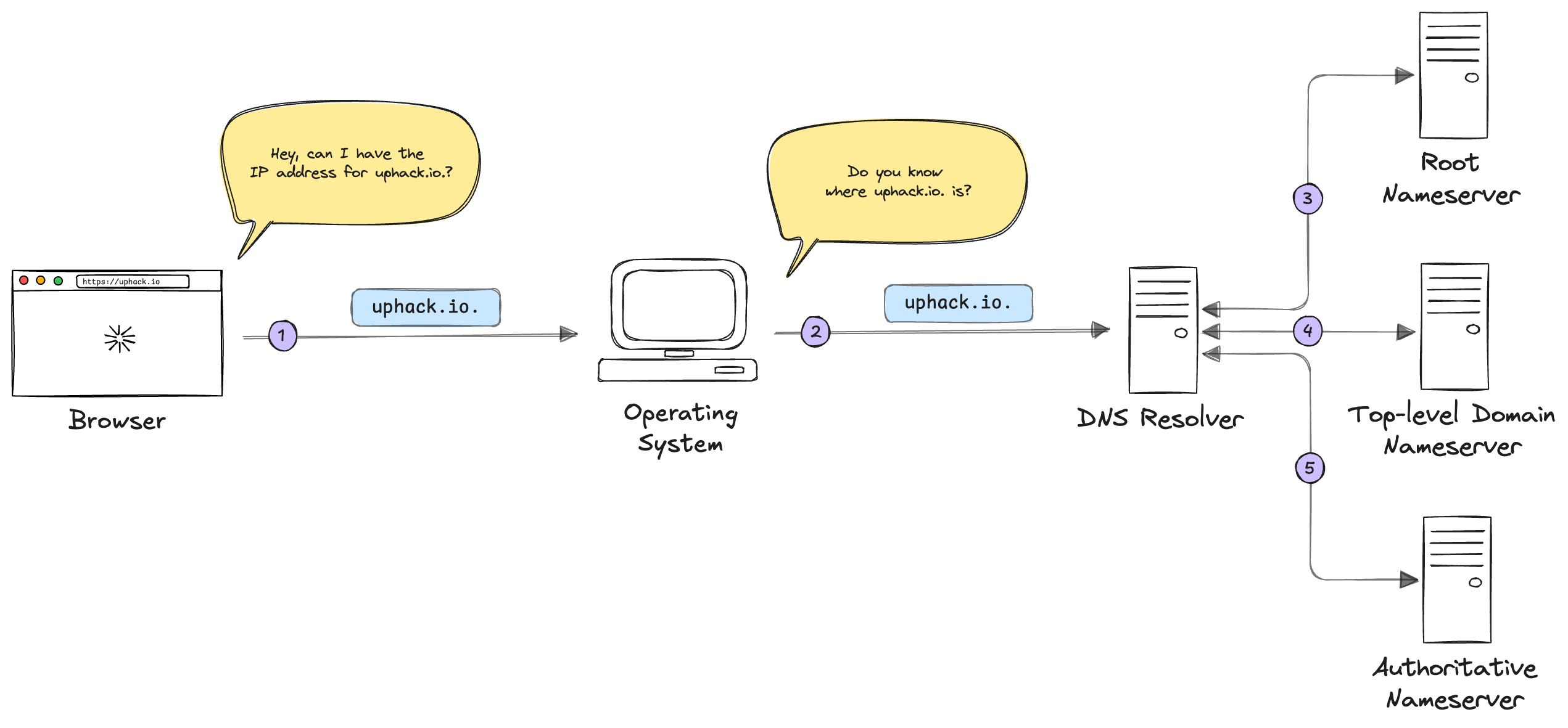
The authoritative nameserver responds with the corresponding IP address, in this case 172.67.207.251. Finally, the DNS resolver knows where uphack.io. is and returns the IP address to the operating system.
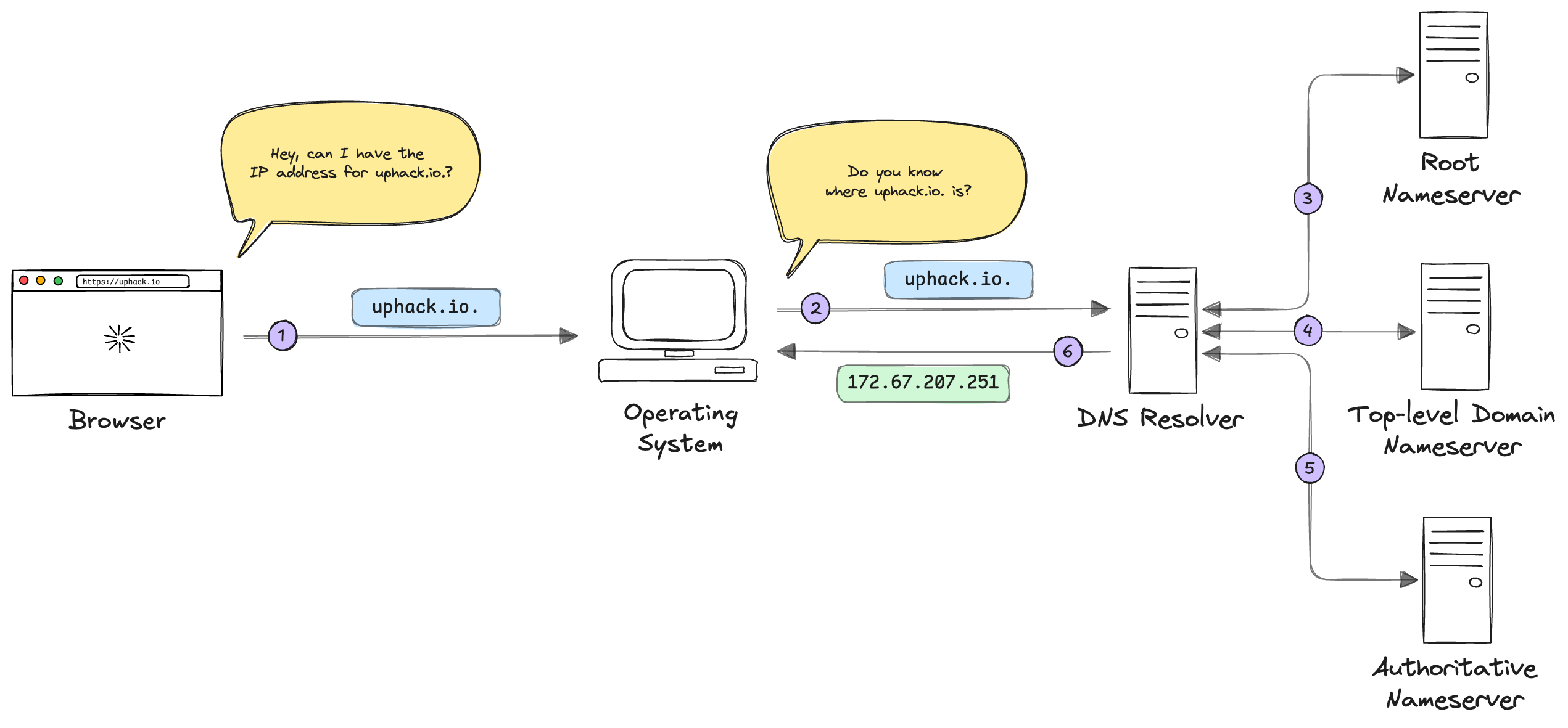
The operating system then sends that back to the web browser. Finally the browser can send the HTTP request to uphack.io, get a response back from uphack’s server and render the page.
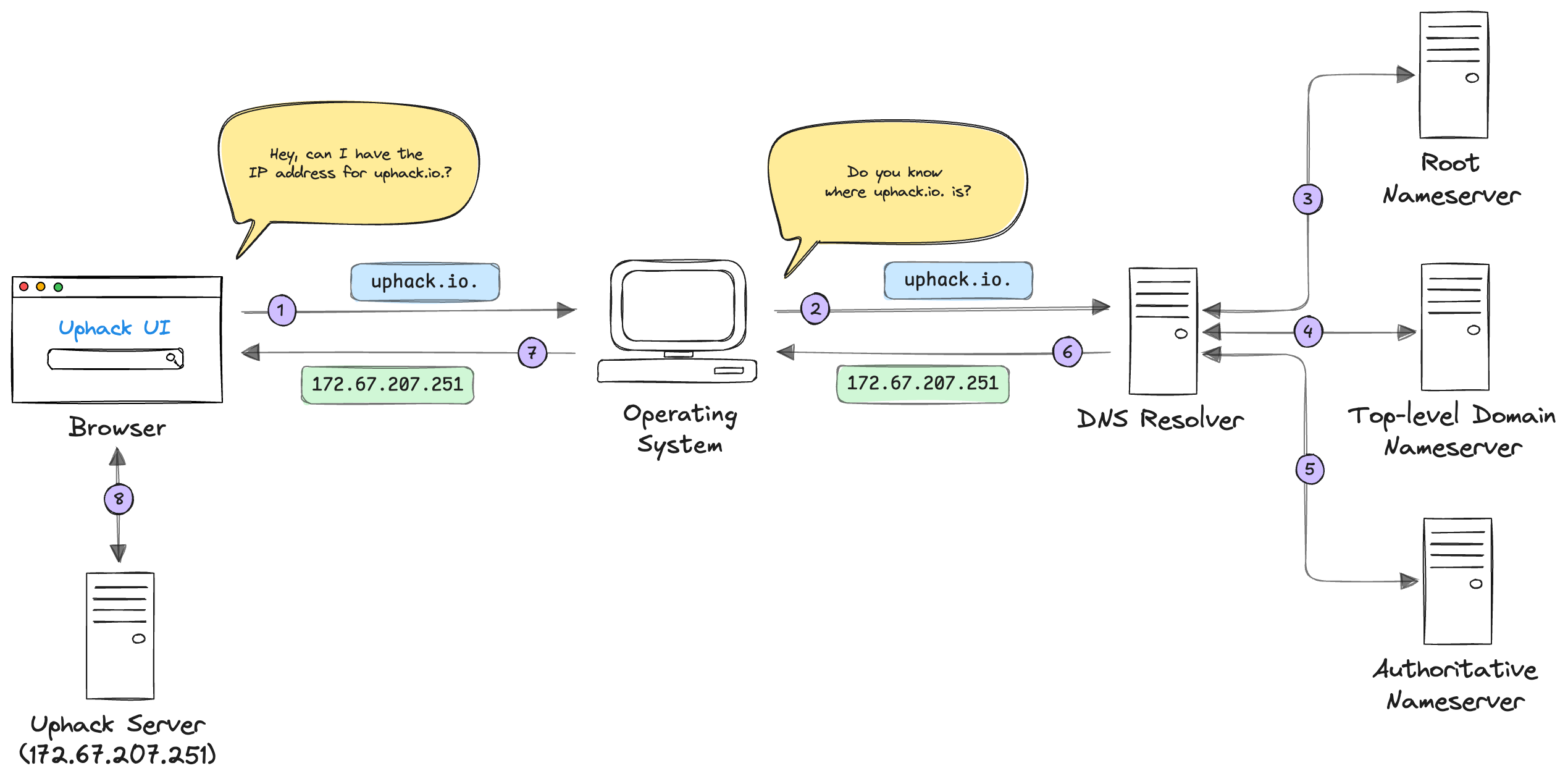
Phew, that was a lot. The process of sending a request clearly has a lot of moving parts! Don’t worry, understanding this at a high level is all you need and it demonstrates three critical points:
- Systems are almost always built on top of other systems.
- There are moving parts that are abstracted from users.
- These moving parts can introduce opportunities for security issues.
Note, the process above is a simplified view of the end to end process. There are built-in mechanisms to store results and prevent unnecessary lookups, known as caching, but you get the gist.
Conclusion
The process of connecting to an endpoint through a web application/API is not as straightforward as most people think. Converting a domain into an IP address through DNS spans many servers and many requests. The world of networking is complicated and often abstracted away, but even a surface-level understanding goes a long way. This allows us as security professionals to reason on the security of systems holistically, objectively, and meaningfully. DNS is just one example of what’s happening behind the scenes. Curiosity is what separates good security people from great ones.
Now that we know how to connect to a server from end to end we need to cover what that communication looks like. In the next post we are going to use the knowledge we’ve gained here to understand how web applications structure data. Specifically, the different types of data formats that are commonly used and how programs and humans handle the data. This is huge because it is the bread and butter of almost all modern HTTP communication, especially for APIs, let’s do it!