

In WordPress 6.4 through 7.0.2, malformed input such as < b> can pass through the username sanitizer as text and later be normalized into a working <b> element. This parser differential is reachable through unauthenticated login errors and can be chained into reflected XSS.

WordPress shipped 7.0.3 on 6 August 2026 with twelve security fixes in it. The first one on the list is a “pre-auth reflected XSS on login screen with PHP code execution potential”, and the next day pwn.ai published the research behind it: XSS2Shell, CVE-2026-64638.
The core idea behind this issue can be illustrated with these two payloads:
<b>test</b>     →  test              tags stripped
< b>test</ b>   →  <b>test</b>       rendered
Type < b>test</ b> into the username box on an affected login page and WordPress normalizes it into a valid <b> element. This parser differential creates an HTML injection issue. Reaching XSS requires several additional WordPress behaviors, so I reproduced the complete path in a lab and verified each stage of the chain.
What is XSS2Shell?
It is a reflected cross-site scripting vulnerability in WordPress core, on wp-login.php. An attacker needs no account or session to submit the payload, and the vulnerable path exists on a default installation. Exploiting another user still requires their browser to open the crafted login request. The RCE extension has additional prerequisites covered below.
This is what the payload that triggers the XSS looks like:
< area id=ajaxurl href=/?rest_route=/&_method=GET&_jsonp=alert>< div id=color-picker class=reset-pass-submit>< button class="wp-generate-pw color-option">XAnd this is the full request:
POST /wp-login.php HTTP/1.1
Host: target
Content-Type: application/x-www-form-urlencoded
Content-Length: 225

log=%3C%20area%20id%3Dajaxurl%20href%3D%2F%3Frest_route%3D%2F%26_method%3DGET%26_jsonp%3Dalert%3E%3C%20div%20id%3Dcolor-picker%20class%3Dreset-pass-submit%3E%3C%20button%20class%3D%22wp-generate-pw%20color-option%22%3EX&pwd=x
The root cause of CVE-2026-64638 is a parser differential combined with a missing output escape. Two sanitizers process the same string using different HTML grammars.
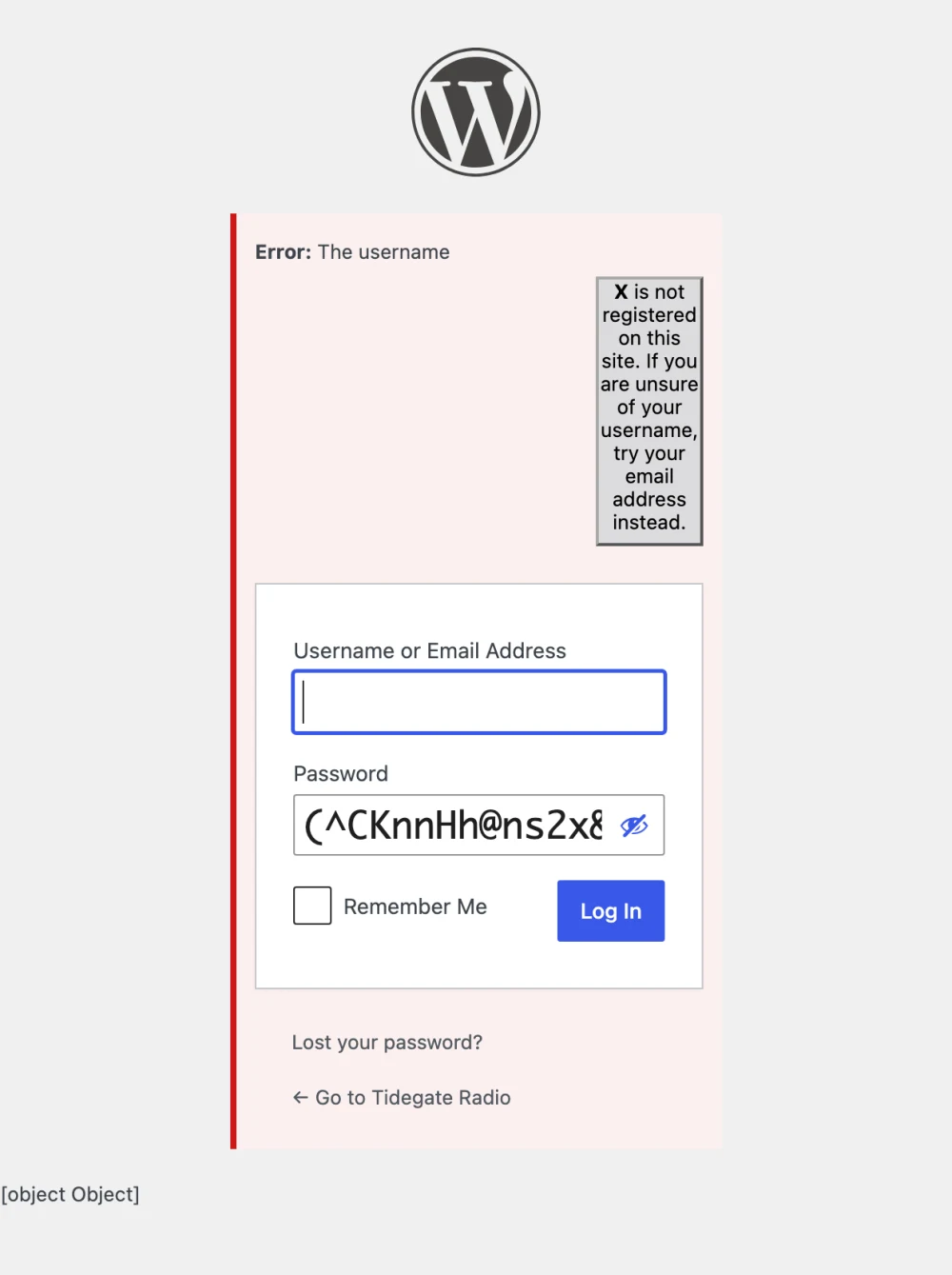
When you submit a username that does not exist, WordPress tells you so and quotes your value back:
Error: The username notauser is not registered on this site.
That message is built in wp-includes/user.php with sprintf, and the username goes straight into an HTML string:
return new WP_Error(
    'invalid_username',
    sprintf(
        __( '<strong>Error:</strong> The username <strong>%s</strong> is not registered on this site. …' ),
        $username
    )
);
On the way in, the username goes through sanitize_user(), which calls wp_strip_all_tags(), which is PHP’s strip_tags(). On the way out, the assembled sentence goes through wp_kses_post(), WordPress’s own HTML sanitizer.
strip_tags() considers a string to be a tag only when < is immediately followed by a letter. KSES tolerates whitespace between the two. The value < b> is therefore text to the first mechanism and a <b> element to the second. KSES processes the completed notice immediately before it is rendered.
Here are some examples of output of each individual mechanism:
sanitize_user( '< area id=test>' );   // '< area id=test>'   nothing to strip
wp_kses_post( '< area id=test>' );    // '<area id="test">'  repaired into an element

sanitize_user( '<area id=test>' );    // ''                  stripped
KSES intentionally repairs some malformed allowed markup. In this case, it removes the whitespace and emits a clean, quoted element. The input < b> is not valid HTML when strip_tags() processes it, but it becomes valid HTML when KSES parses the completed notice. This is a parser differential issue rather than a traditional filter bypass.
This is the line, in wp-includes/kses.php:
// It's seriously malformed.
if ( ! preg_match( '%^<\s*(/\s*)?([a-zA-Z0-9-]+)([^>]*)>?$%', $content, $matches ) ) {
    return '';
}
The \s* after the angle bracket permits optional whitespace before the tag name. The comment before the if statement gives us a clue about what the author was thinking: this branch handles malformed input. So the purpose of this part was to repairing user content if the content is malformed and reached that point.
Which WordPress versions are affected by CVE-2026-64638
pwn.ai’s write-up says the flaw “has been present since the earliest versions of WordPress”. The advisories cover many branches, and security fixes were backported to 4.7. Comparing the 6.3.7 and 6.4 release tarballs shows that the KSES tokenizer is identical in both versions. The relevant change is not the \s*; it is how the login page renders errors.
// 6.3.7, wp-login.php
echo '<div id="login_error">' . apply_filters( 'login_errors', $errors ) . "</div>\n";

// 6.4, wp-login.php
wp_admin_notice( … );   // which does: echo wp_kses_post( … )
In 6.3, the error is echoed directly. Malformed input that survives strip_tags() reaches the browser as text because strip_tags() and the browser both treat < b> as text. KSES does not parse the completed message on this path.
WordPress 6.4 moved login errors onto the admin-notice helper. This consistency and accessibility refactor placed KSES after the tag-stripping stage and introduced the exploitable parser sequence.
| WordPress version | Login error path | Status |
|---|---|---|
| 6.3 and earlier | Error rendered without KSES | Not exploitable through this path |
| 6.4 – 7.0.2 | Completed error parsed by KSES | Exploitable |
| 7.0.3 and branch security releases | Username escaped before interpolation | Fixed |
If you are triaging by version number alone you will flag installs that were never reachable. If you are on 6.4 or later and unpatched, patch.
From HTML injection to XSS
Rendering HTML markup is not the same as executing script. KSES continues to remove disallowed elements and event-handler attributes, so a direct XSS payload does not survive. The original research combines six existing WordPress behaviors to turn allowlisted markup into script execution. It is a really creative chain, similar in structure to the WP2Shell chain that we analysed two weeks earlier.
About the “2shell” part
The original write-up keeps going after triggering the XSS into showing how to turn it into a RCE.
I think the “2shell” part is a bit of a stretch though. The escalation needs a logged-in single-site administrator to open your link, Application Passwords enabled, and plugin uploads allowed. I agree that’s a realistic set of conditions on a lot of WordPress sites and this can be abused at scale, but it’s a phishing-shaped precondition rather than “send one request, get a shell” as we’ve seen in WP2Shell.
It’s a critical and a cool bug either way. The attacker needs no account, the vulnerable code is in WordPress core, and script execution inherits the victim’s access to the site. The final impact depends on the victim’s session and the site’s configuration.
How to fix CVE-2026-64638
Patch. Update to 7.0.3 or the security release for your branch. No configuration change fixes the reflected XSS.
The fix itself is one function call:
__( '<strong>Error:</strong> The username <strong>%s</strong> is not registered on this site. …' ),
esc_html( $username )
The fix does not change either sanitizer. strip_tags() still ignores < area, and KSES still repairs it. WordPress now escapes the username at the point where it enters HTML, so the two parsers no longer need to classify the value identically.
If you cannot patch immediately, you can reduce the RCE escalation path without fixing the XSS: disable Application Passwords, set DISALLOW_FILE_MODS, or block PHP execution from inactive plugin directories. Treat these controls as defense in depth, not as substitutes for the security update.
Reproduce it yourself
One of the core techniques that made this vulnerability exploitable is DOM clobbering. Learning about DOM Clobbering is not the same as watching a variable you invented turn into an HTMLAreaElement. So I created a lab that runs a real WordPress 7.0.1 app in your browser, no setup, and you build the payload one property at a time.
It’s 19 steps, about 40 minutes. You’ll go through every important step and understand what happens behind the scenes. You find the reflection, work out the limitations of both sanitizers, and use the WP internals in a way that no one intended to trigger the JS code execution. It’s a cool bug and I had a lot of fun build the lab and learning about it.
Try the XSS2Shell lab. Free, no account needed.